
Xcoa Liasse Fiscale 6.0
Financial statement and tax return generator
SYSCOHADA & SYCEBNL
The Challenge
Preparing financial statements compliant with SYSCOHADA and SYCEBNL standards is a complex and time-consuming process. Error risks are high, and regulatory compliance is required by tax authorities. How to ensure error-free production of your tax returns within deadlines?
The Xcoa Solution
Xcoa Liasse Fiscale automates the entire process: importing your trial balances, coherence checking, calculating financial statements and appendix notes, advanced analysis, and generating the complete tax return in regulatory format. Guaranteed reliability, speed, and compliance.
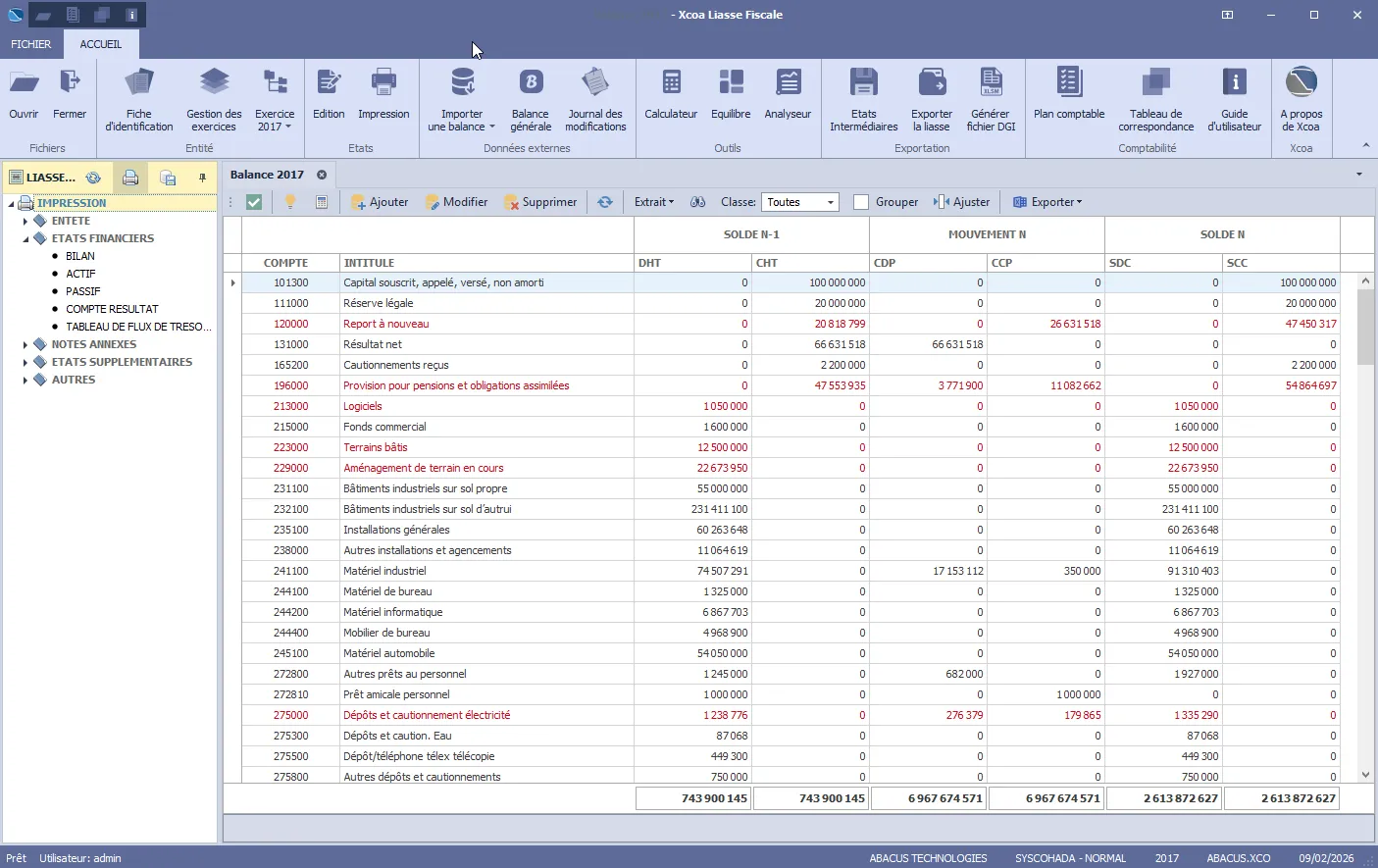
A complete and automated process
Your financial statements in a few clicks, with total efficiency
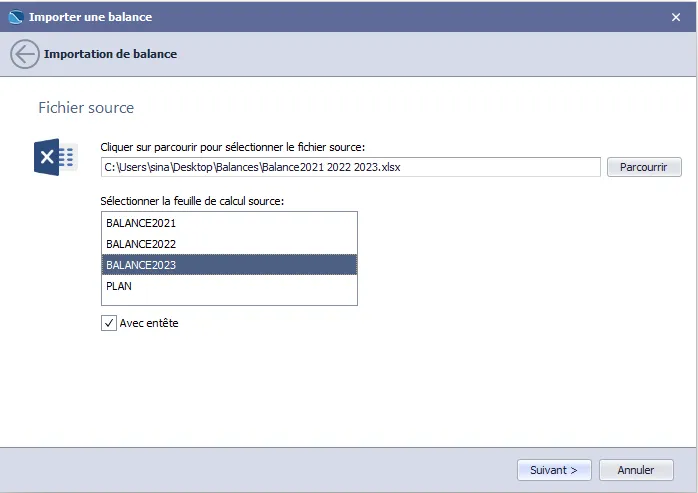
Import
Import your general ledger balance from Excel or CSV files. Automatic checks:
- Trial balance equilibrium
- Account format and validity
- Accounting standard conformity
- Balance consistency
- N/N-1 carry-forward comparison
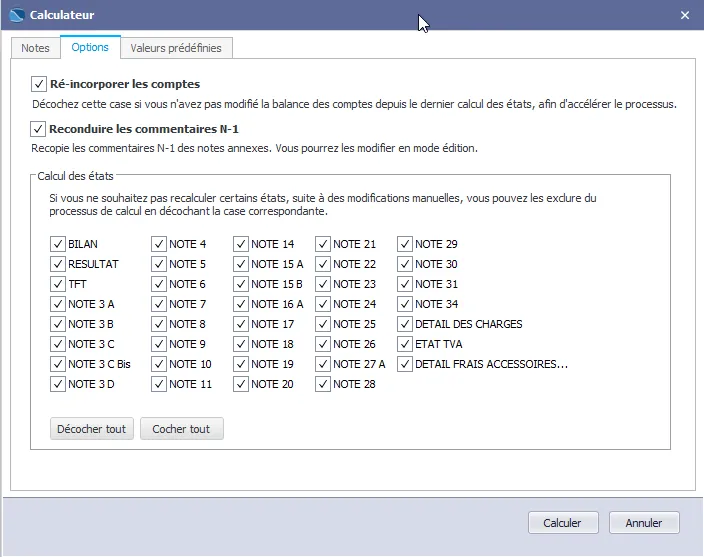
Expert Calculator
In seconds, the calculator generates all financial statements and appendix notes:
- Automatic N-1 data transfer
- Editable N-1 comment carry-over
- Position value simulation
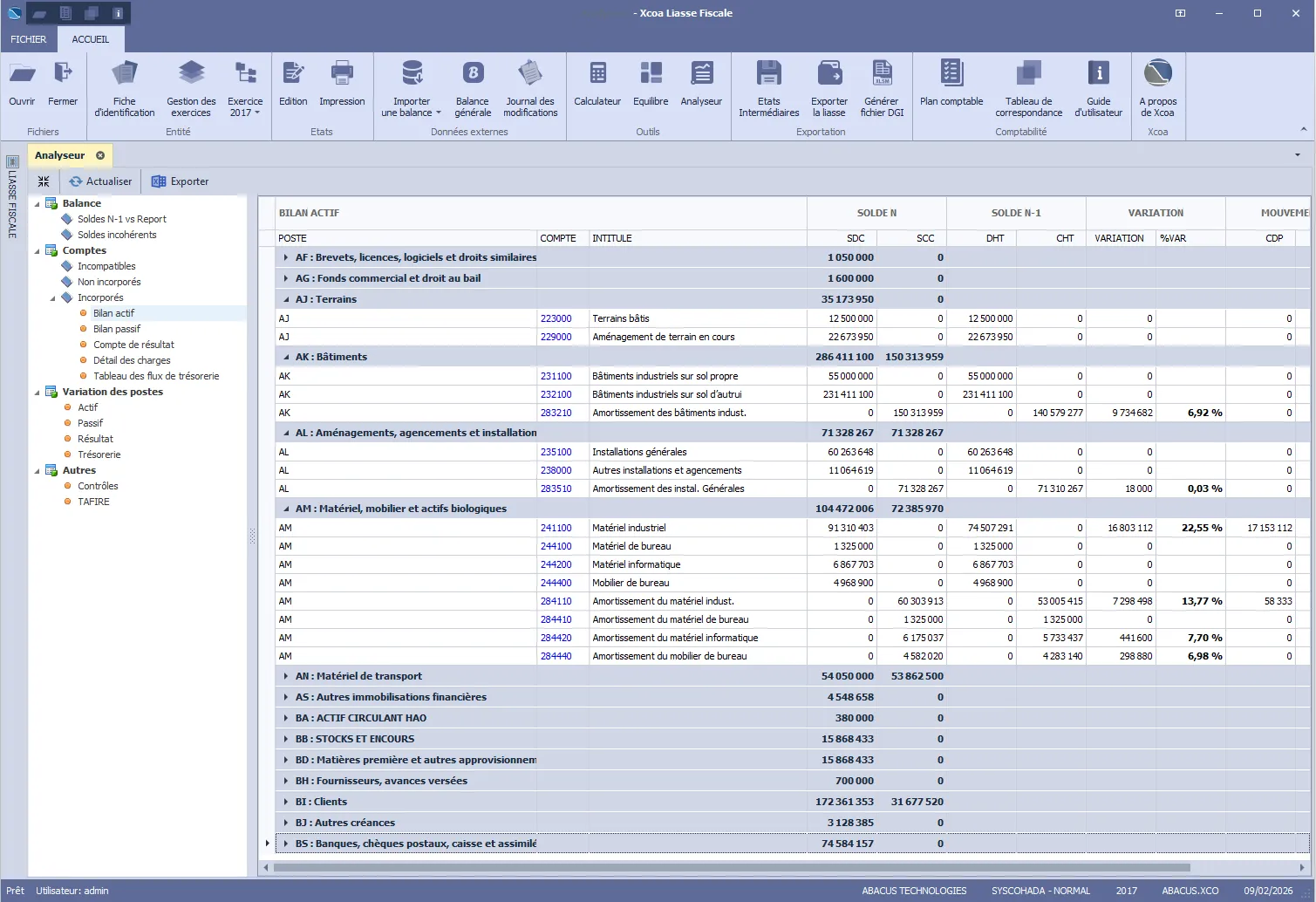
Analyzer
The analyzer centralizes:
- Anomalies and inconsistencies in the general ledger
- Incompatible and rejected accounts
- Details of accounts included in each position
- N/N-1 variations in value and percentage per position
- 150-point tax return coherence check
Financial Statements & Export
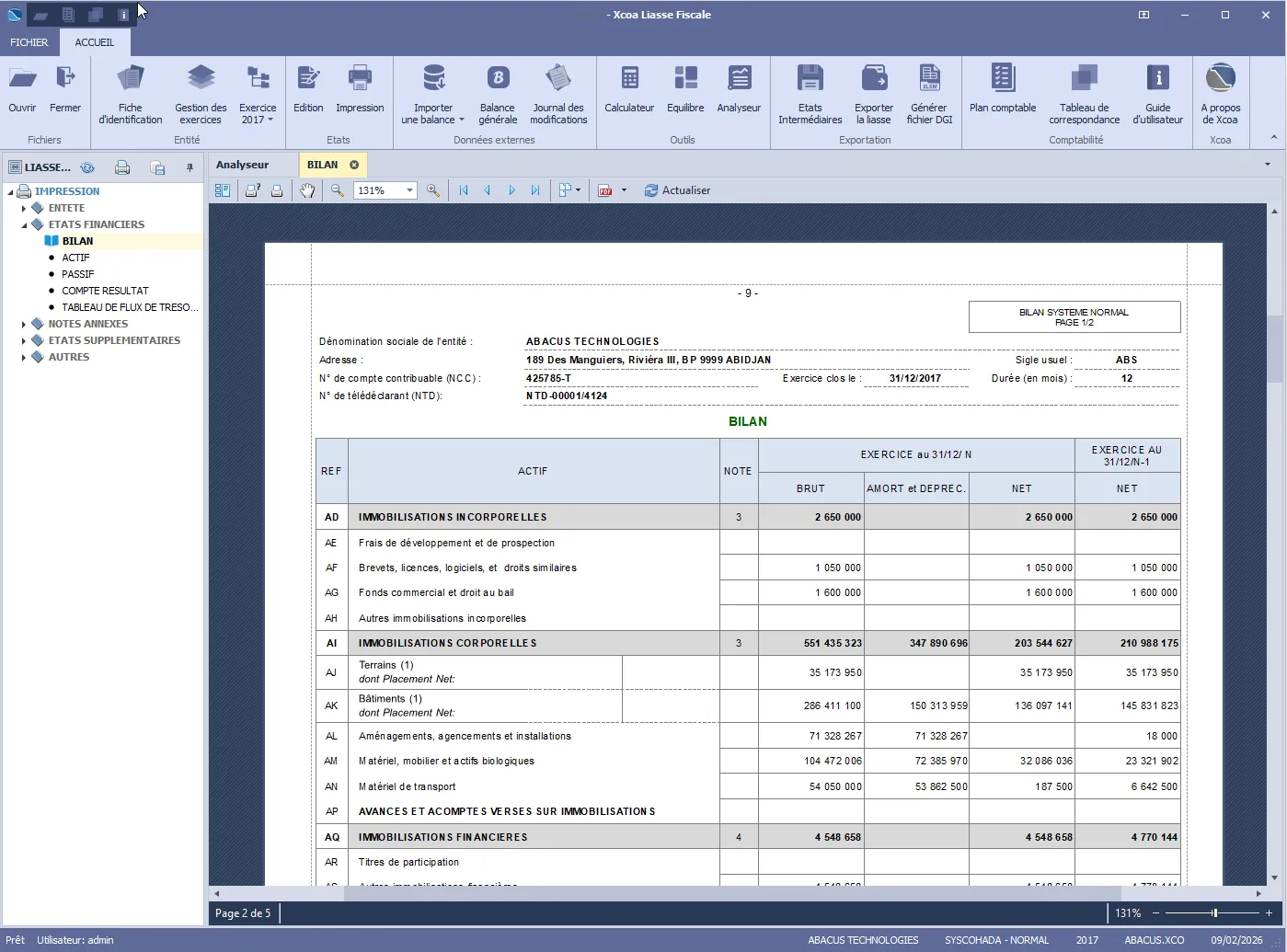
Generated statements are fully compliant with the official OHADA format:
- Complete SYSCOHADA and SYCEBNL package including specific supplementary statements
- Full tax return export in Excel and PDF formats
- Full tax return export in DGI format (.xlsm)
Interim Statements
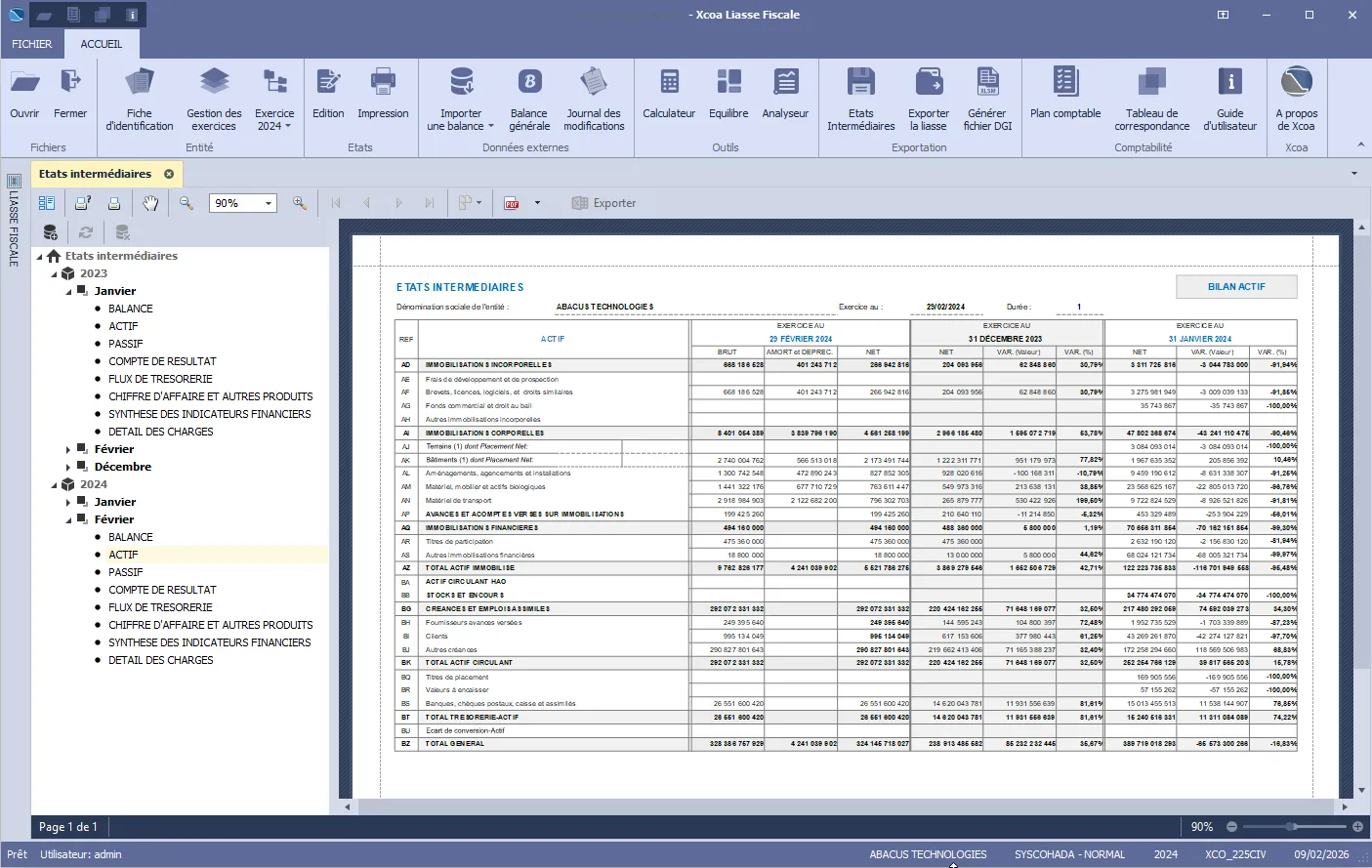
Generate monthly, quarterly or semi-annually interim statements with month/month-1 and month/N-1 variations. Included interim statements:
- Trial balance
- Balance sheet
- Income statement
- Cash flow statement
- Note 21: Revenue and other income
- Note 34: Key financial indicators summary
- Expense detail
Supported Accounting Regimes
Xcoa covers all SYSCOHADA and SYCEBNL accounting regimes.
SYSCOHADA - NORMAL
OHADA accounting system — normal regime
SYSCOHADA - SMT
Minimal cash-basis system
SYCEBNL - NORMAL AOP
Associations and Professional Bodies
SYCEBNL - NORMAL PDA
Development Projects and Similar Entities
SYCEBNL SMT
Minimal cash-basis system — non-profit entities
Four editions tailored to your needs
Whether you are a small organization, an accounting firm, a CGA, or a large enterprise.
Standard
Single workstation, embedded database, all essential generation and export functions.
Pro
Multi-workstation, multi-entity, advanced analyzer, interim statements and modification journal.
Enterprise
Unlimited workstations, Microsoft SQL Server database, complete feature set.
Expert
Unlimited entities, embedded database, permanent license or subscription.
Built for Modern Infrastructure
Xcoa integrates seamlessly into your professional IT environment.
SQL Server
Secure data: architecture built on Microsoft SQL Server for total integrity of your financial statements.
Active Directory
Unified access: simplified and secure authentication through Active Directory integration (SSO).
Server Edition
Collaborative mode: network deployment enabling simultaneous work across your accounting teams.
Tangible Benefits
Significant time savings: reduce tax return production time by 70%
Assured compliance: automatically comply with SYSCOHADA and SYCEBNL standards
Zero errors: eliminate calculation and manual entry risks
Complete traceability: keep the history of all your fiscal years
Documentation
Download the complete Xcoa Liasse Fiscale 6.0 documentation.
Xcoa 6.0 Presentation
Overview of Xcoa 6.0 features and architecture.
Download PDFWhat's New in Xcoa 6.0
Discover the new features and improvements in version 6.0.
Download PDFQuick Start Guide
Get up and running in just a few minutes.
Download PDFDeployment Technical Sheet
Technical specifications and enterprise deployment procedure.
Download PDFRequest a Demo
See Xcoa Liasse Fiscale in action. Our experts walk you through the software and answer all your questions in a personalized session.
Schedule a demoTutorials
Learn to master Xcoa Liasse Fiscale step by step.
Import your trial balance
How to import and validate your general ledger balance in Xcoa.
Generate the tax return
Calculate and export your complete tax return in a few clicks.
Analyze and correct
Use the analyzer to detect and resolve anomalies.
They trust us














Produce your financial statements in hours, with zero risk of error.
Your accounting team saves time, your declarations are compliant on the first submission — and you sleep soundly before the closing deadline.